The calendar your Boox tablet deserves
Write with your stylus. Sync with Google Calendar. Plan with AI. Finally, a planner designed for e-ink.
Generic calendar apps weren't made for e-ink
You invested in a Boox tablet for focused, distraction-free productivity. But every calendar app you've tried was designed for phones—tiny buttons, flashy animations, and no stylus support.
- Touch targets too small for stylus precision
- Animations that cause e-ink ghosting
- No handwriting integration
- Can't link notes to calendar events
- No AI-enabled features
BooxDay: Built from the ground up for Boox
We used the official Onyx SDK to create a calendar that feels native to your tablet. Every pixel, every interaction, every feature—designed specifically for e-ink displays and stylus input.
- Large touch targets, stylus-optimized UI
- Zero animations, instant refresh
- Full pressure-sensitive handwriting
- Deep Boox Notes integration
- AI-enabled, intelligent Calendar Agent
Four pillars of a better planning experience
Write Naturally
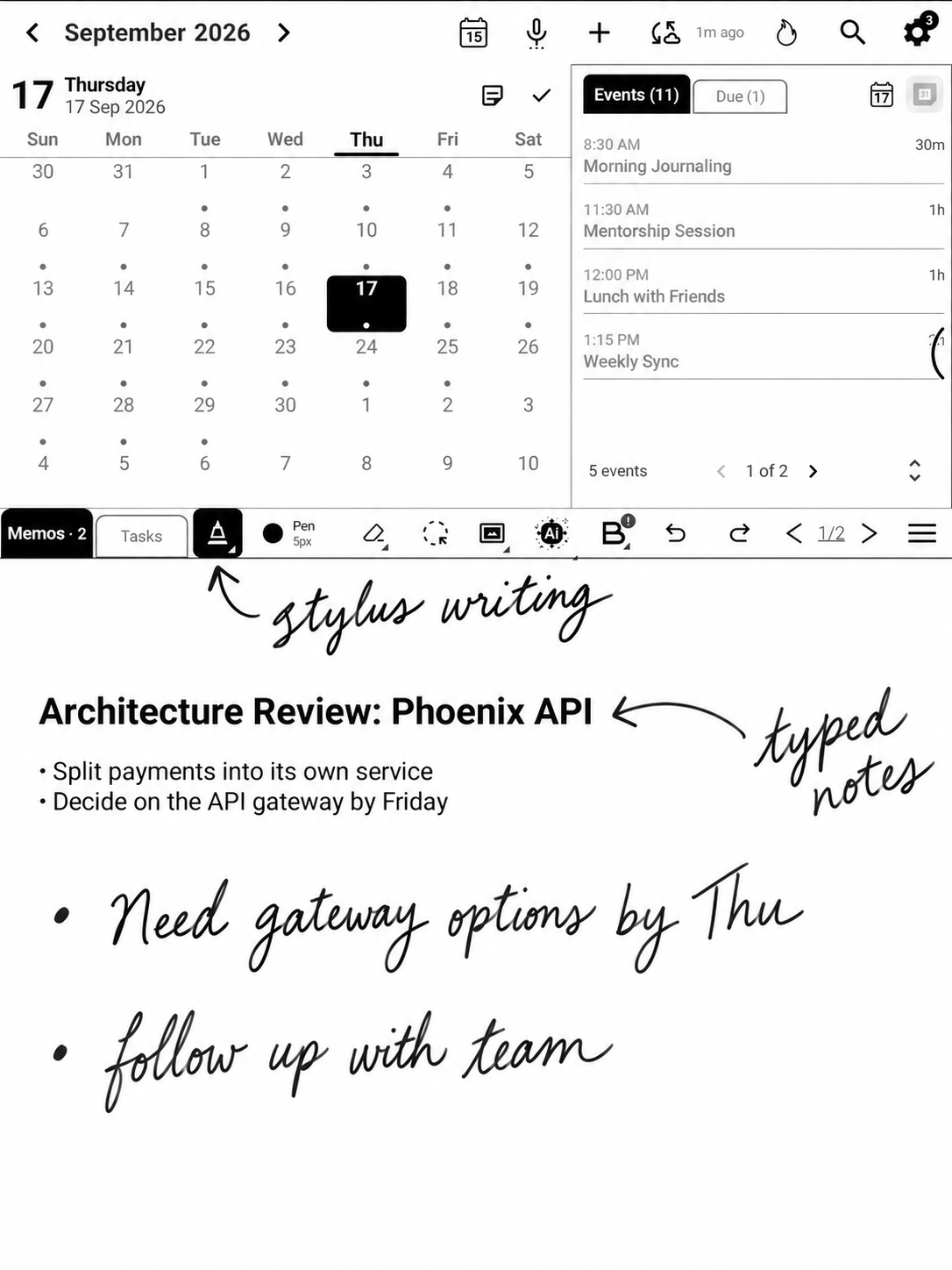
Your stylus becomes your primary input. Full pressure sensitivity with multiple pen modes. Unlimited memo pages. Writing on your Boox should feel like paper—now it does.
- 4,096 pressure levels
- Multiple pen types
- Unlimited pages
Stay Connected
Two-way Google Calendar sync means your events are always current. Add handwritten notes to any day without touching the cloud. AI helps you plan smarter.
- Google Calendar sync
- Works fully offline
- AI planning assistant
Boox Notes Integration
The first calendar app to connect with Boox Notes. Browse your notebooks, link notes to events, preview without switching apps. Your handwritten world, unified.
- Browse all notebooks
- Link notes to events
- Quick preview
Privacy Protected
Your handwritten strokes never leave your device. Period. Calendar sync is optional. All data stored locally in a folder you control. Export anytime.
- Local-first storage
- No account required
- Full data export
A calendar that works the way you think
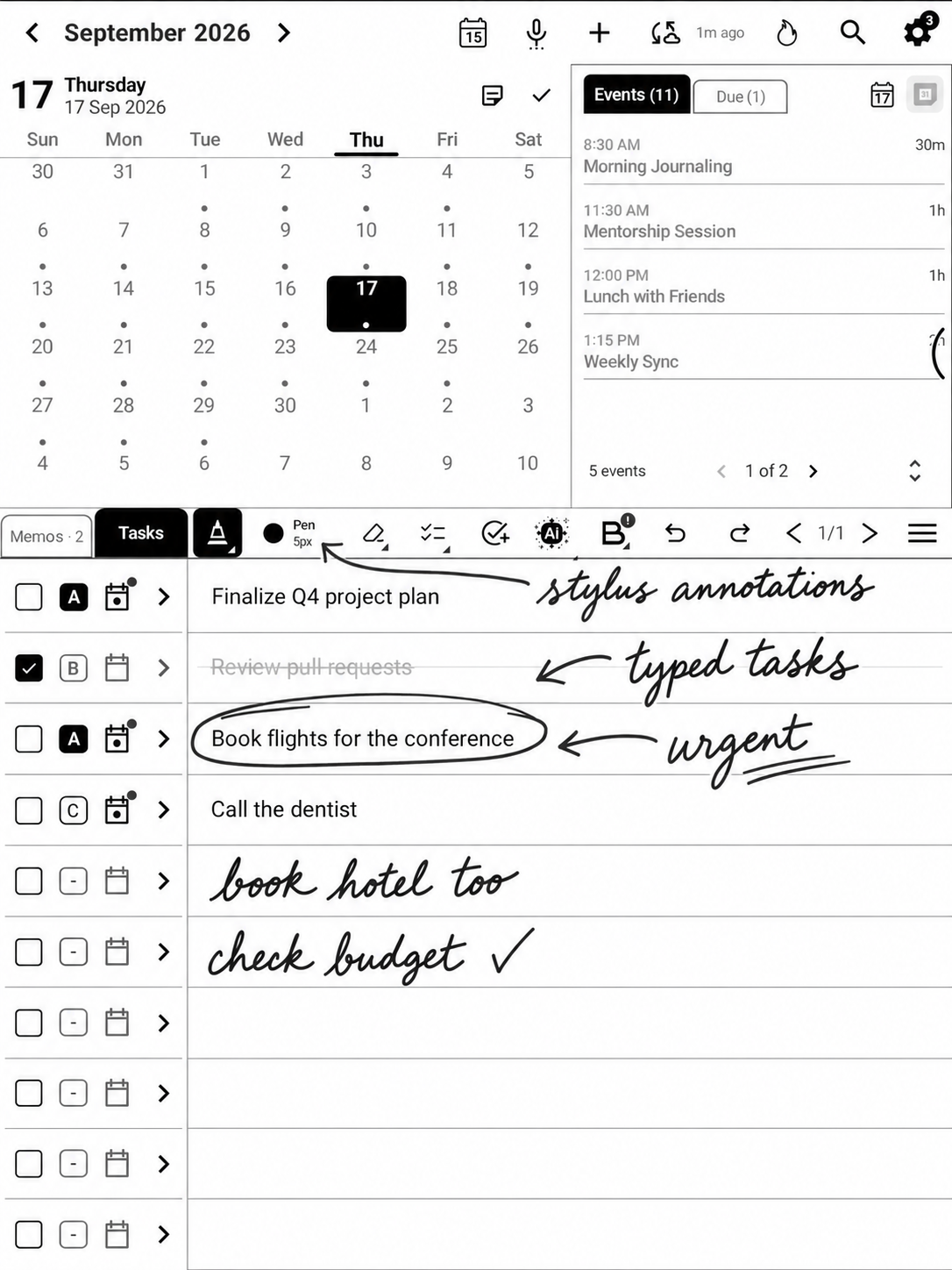
Switch seamlessly between your calendar view, freeform memos, and structured tasks. Everything syncs together, and everything works offline.
SemanticGenius: Your notes, intelligently connected
Write naturally in BooxDay or Boox Notes. SemanticGenius automatically understands your handwriting, extracts keywords, people, and dates, then links notes to related calendar events.
Tasks that feel like paper, work like software
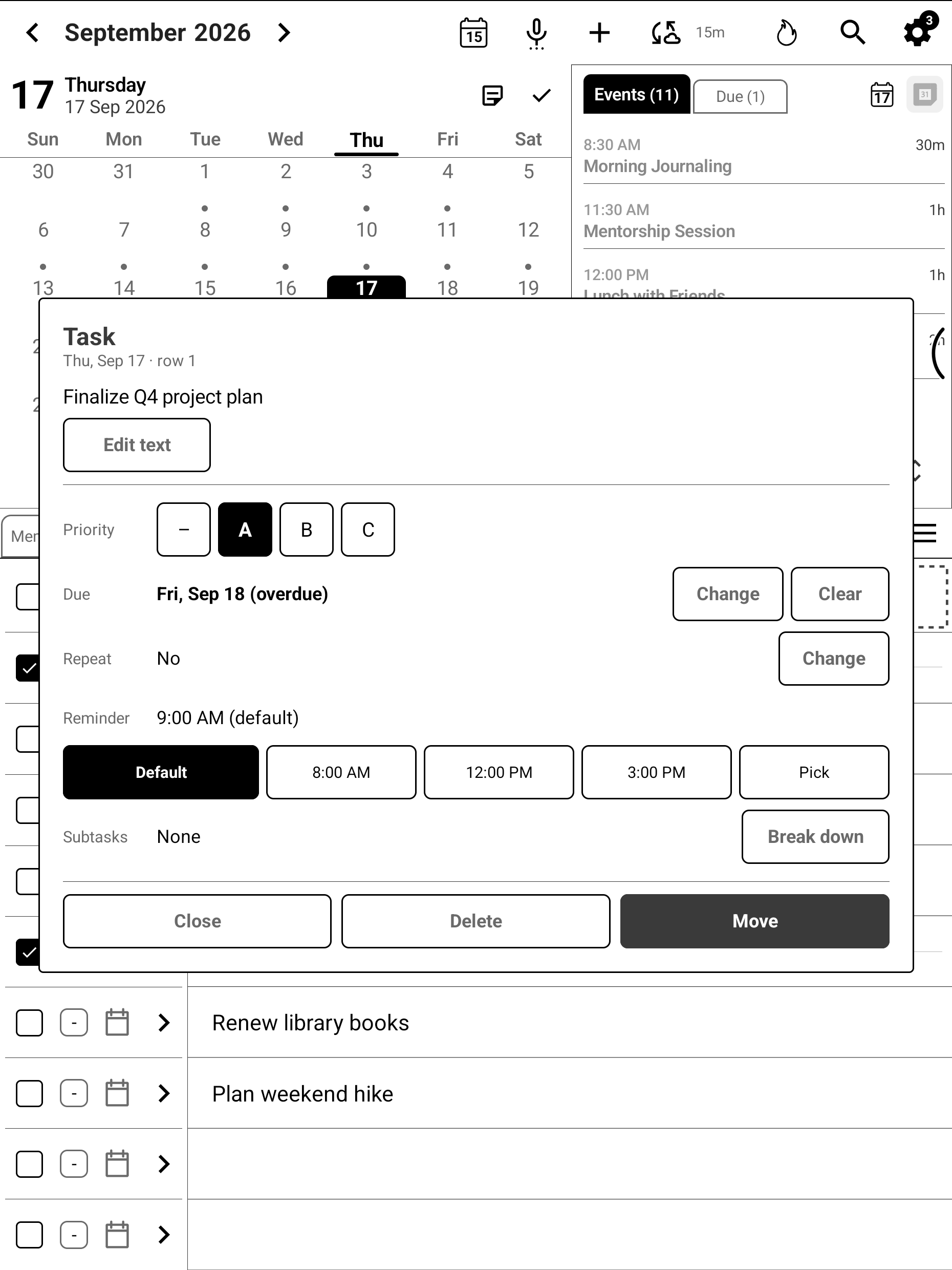
Write your to-dos naturally with your stylus. BooxDay adds the structure—checkboxes, priorities, smart suggestions, and AI-powered assistance—without losing the feel of pen on paper.
Your intelligent planning partner
BooxDay's AI doesn't just assist—it collaborates. From voice input to smart scheduling, your calendar becomes proactive.
Plan My Day
Your AI scheduling strategist. Analyzes tasks, events, and your energy patterns to propose the perfect daily flow—because your morning brain and afternoon brain work differently.
Voice-to-Event
Speak naturally, schedule instantly. Say "Meeting with Sarah next Tuesday at 3pm" and watch it appear on your calendar. No typing, no tapping, just talking.
Handwriting Recognition
Your scribbles, decoded. Our 3-stage AI pipeline transforms your handwritten notes into formatted, searchable text—even when your handwriting gets creative.
Memo Summarization
Pages of notes, distilled to essence. AI reads through your handwritten pages and extracts key points, action items, and insights you might have missed.
Voice-to-Text
Smart dictation that gets you. Adaptive silence detection waits for you to finish thoughts—no more cut-off sentences. Speak at your pace, not the machine's.
Voice-to-Task
Speak your to-dos into existence. Say "Buy groceries, high priority, by Friday" and AI parses it all—task, priority, deadline. Your voice becomes your productivity tool.
Intelligent Task Breakdown
Big goals, bite-sized steps. AI analyzes overwhelming tasks and suggests logical subtasks. "Plan vacation" becomes 10 manageable actions you can actually complete.
Smart Planning & Suggestions
Proactive, not reactive. AI spots zombie tasks that keep migrating, suggests time blocks for deep work, and flags when you're overcommitting. Your calendar finally fights back.
AI Prioritization Tool
Decisions, delegated. Based on your patterns, deadlines, and context, AI suggests which tasks deserve your attention first. Stop deciding what to do—start doing.
Up and running in under a minute
No complex setup. No account required. Just install and start planning.
Install from Google Play
Download BooxDay free from the Play Store on your Boox tablet. No account needed to start.
Connect Google Calendar
Optional: Sign in to sync your existing events. Or skip and use BooxDay completely offline.
Start writing
Pick a date, grab your stylus, and plan your day. It's that simple.
Works with your Boox tablet
BooxDay is designed specifically for Onyx Boox e-ink devices with stylus support. Whether you have a compact Note Air or a large-format Tab X, enjoy a seamless handwriting experience optimized for your screen.
Go 10.3
Note Air 3C
Note Air 4C
Note Air 5C
Note Max
Tab X
Requires Android 12+ · Optimized for devices with stylus support
Start free, upgrade when you're ready
Free
Perfect for trying BooxDay
- Calendar views (month/week/day)
- Basic stylus memos
- Task management
- Local data storage
- Google Calendar sync
- AI features
- Boox Notes integration
Pro
Unlock the full experience
- Everything in Free, plus:
- Google Calendar sync
- AI planning assistant
- Boox Notes integration
- Voice input
- Handwriting recognition
- Priority support
One-time purchase · No subscription · Lifetime updates
Ready to plan better on your Boox?
Join thousands of Boox users who've upgraded their planning experience. Download free and see the difference.